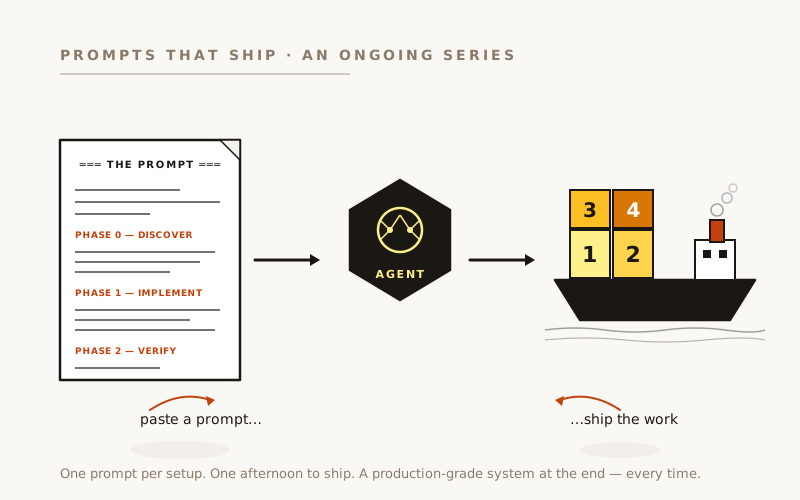
Automated scanners find CVE matches in your dependencies. They don’t find “JWT tokens never expire,” “CORS allows all origins,” or “Multer accepts any file type,” because those aren’t bugs, they’re configuration choices nobody questioned. Here’s the prompt that runs a 12-category OWASP review on any codebase, names what it finds with file:line citations, and converts the findings into a reusable skill so the audit doesn’t have to start from scratch next quarter.
Companion to “The Security Scanning Stack”. That piece sets up the always-on scanners that watch for CVEs. This one is the targeted, codebase-specific OWASP pass scanners can’t do.
The Class of Bugs Your Scanner Will Never Tell You About
You can run CodeQL, Trivy, OSV, Semgrep, and Snyk against the same codebase and never find that your JWT tokens have no expiration. That’s a category mismatch, not a scanner failure. The absence of { expiresIn: '24h' } as a third argument to jwt.sign() is not a vulnerable code pattern; it’s a missing safety net. Scanners look for patterns. This is a missing pattern.
The same gap applies to a long list of real, exploitable, common vulnerabilities:
app.use(cors())with no options allows any origin. Valid code, default behaviour, security disaster.- Multer with no
fileFilteraccepts any MIME type, executables included. export { JWT_SECRET, ... }widens the attack surface: every module that imports the auth module now has a path to your signing secret.- “First user becomes admin” auto-bootstrap on a fresh deploy.
if (userCount === 0) user.isAdmin = true;: a race-condition exploitable in the first 30 seconds of any deploy. - 19 MCP servers spawning subprocesses with
{ env: process.env }. Every secret in your application environment is now in 19 child processes you don’t audit.
These are security postures that need a human (or an AI agent) to walk the codebase and ask “did anyone make a decision here, or is this the default that everyone forgets to change?” Most teams discover the answer the hard way.
Scanners look for patterns. This is a missing pattern. Different problem, different audit, same blast radius when they bite.
What good looks like
A targeted OWASP review is a 1–3 hour walk through twelve named categories. Each has a grep pattern that surfaces the codebase’s specific use of that area, a “what to flag” list of postures and missing parameters, and a copy-paste fix prompt the team can hand to an AI agent.
The twelve categories that matter for a typical Node/TypeScript/JWT/SQLite/WebSocket stack, adapt as your stack differs:
- Secrets & keys: hardcoded fallbacks, exported secrets, real credentials in
.env*files committed to git - SQL injection: template literals or string concatenation in queries (raw-SQL libraries are the high-risk surface; parameterised ORMs eliminate most of this)
- JWT authentication: missing expiration, hardcoded secrets, exported secrets, no refresh, no revocation list
- WebSocket security: token in URL query string, one-time authentication at connect, no per-message validation, no timeout
- Command execution:
exec()/spawn()with user input,shell: true, template literals in commands - MCP / subprocess security: environment inheritance, file system reach, network access from spawned children
- File upload: missing
fileFilter, no MIME validation, no extension whitelist, original filename preserved (path traversal) - Frontend token storage: JWTs in
localStorage(any XSS = permanent compromise), tokens not cleared on logout - CORS configuration:
cors()no options,origin: '*'ortrue, credentials + wildcard - Rate limiting: none on auth endpoints, none on file upload, none globally
- XSS:
dangerouslySetInnerHTML,innerHTMLassignment with user input, unsanitised markdown rendering - Encryption: static IVs, hardcoded keys, weak key derivation (MD5/SHA1), ECB mode, CBC without HMAC
Each category will either pass (no findings), pass-with-tuning (findings but configured defensively), or fail (concrete issue at a specific file:line). The output is a report with severity counts, individual findings, and a fix prompt per finding.
The part that turns this from a one-shot audit into a permanent capability: write the audit prompt itself as a reusable skill on the way out. The next audit starts from the existing skill, not from scratch.
The prompt
Copy this into Claude Code (or Codex) at the root of any production codebase:
Run a 12-category OWASP code review against this codebase. Output: a
findings report at `docs/security-review-<DATE>.md` AND a reusable skill
at `~/.claude/skills/<project>-security-review/SKILL.md` so subsequent
reviews build on this one rather than restarting.
═══ PHASE 0 — DISCOVER FIRST ═══
Inspect the codebase and write your findings to
`docs/security-review-<DATE>.md`. Cover:
- Language(s) and framework(s) — drives which categories apply
most. Our reference stack was Node 20 + Express + better-sqlite3
+ React + WebSocket (ws). Yours may be Python/Django, Go/Gin,
Rails, Phoenix, etc. — the categories below adapt.
- Authentication mechanism — JWT? Session cookies? OAuth? Magic
links? Each has a different attack surface profile.
- Database access pattern — raw SQL (better-sqlite3, pg) vs
parameterised ORM (Prisma, Drizzle, SQLAlchemy). Raw-SQL means
high-risk for category 2; ORM mostly eliminates it.
- WebSocket usage — drives category 4 only if present.
- Subprocess spawning — `child_process.exec/spawn` (Node), `subprocess`
(Python), backticks (Ruby), shell-out anywhere. Drives category 5.
If MCP servers are present (we had 19), drives category 6.
- File upload — Multer (Node), Django FileField, ActiveStorage, etc.
Drives category 7.
- Frontend framework + token storage — React + localStorage was our
case; could be Vue + cookies, or server-rendered with httpOnly
cookies. Drives category 8.
- CORS middleware setup — `app.use(cors())` in Express,
`django-cors-headers`, etc.
- Rate-limit middleware — present (express-rate-limit, slowapi) or
absent. Most codebases: absent.
Write findings + the implementation plan to the report. Stop. I'll
confirm before you run the full review.
═══ PHASE 1 — RUN THE REVIEW (after spec approval) ═══
For EACH of the 12 categories below, do all of:
a) Run the grep patterns listed (adapted to your project's
directory layout)
b) Examine the matches; classify each as PASS / TUNE / FAIL
c) For every FAIL, record: file:line, the bad pattern, the risk
(what an attacker can do), and a ready-to-paste fix prompt
d) For every TUNE, record the config that should be changed
e) Skip the category cleanly if it doesn't apply to this stack
═══ The 12 categories: ═══
1. SECRETS & KEYS
Grep: `SECRET\|KEY\|TOKEN\|PASSWORD` across code + `.env*` files.
`export.*SECRET` (widens attack surface — flag every match).
`apiKey\|API_KEY` in frontend code.
FLAG: hardcoded fallbacks (`process.env.X || 'default-value'`),
secrets in exports, real credentials in any `.env*` file.
2. SQL INJECTION (skip if ORM-only)
Grep: `db\.prepare\s*(\`` and `\.run(\`|\.get(\`|\.all(\``
(template-string SQL is the HIGH-RISK pattern in better-sqlite3
and similar raw-SQL libs).
FLAG: any user input interpolated into SQL strings via `${}`.
3. JWT AUTHENTICATION
Grep: `jwt\.sign\|generateToken` — check for `expiresIn` option.
`JWT_SECRET` exports.
FLAG: `jwt.sign()` without `{ expiresIn: ... }` (THE BUG MOST
TEAMS SHIP — non-expiring tokens + localStorage storage =
permanent compromise on first XSS).
FLAG: `JWT_SECRET` exported from the auth module.
4. WEBSOCKET SECURITY (skip if no WS)
Grep: `WebSocketServer\|wss\.|ws\.on\('connection'`.
`token=\|jwt=\|auth=` in frontend URL construction.
FLAG: tokens in WS URL query strings (server logs + browser
history both capture them).
FLAG: connection-time-only auth with no per-message validation.
5. COMMAND EXECUTION (skip if no shell-out)
Grep: `child_process\|exec\|spawn` + `shell:\s*true`.
FLAG: `shell: true` with ANY user-influenced input.
FLAG: template literals with `${}` inside command strings.
6. MCP / SUBPROCESS ENVIRONMENT (skip if no MCP)
Grep across MCP integration dirs: `env:\s*process\.env\|env:\s*{`.
FLAG: full-env passing to subprocesses — every secret in the
parent's environment is now in N child processes. THE BUG WE
FOUND IN 19 PLACES.
7. FILE UPLOAD (skip if no upload)
Grep: `multer\|upload\.` + `fileFilter\|fileSize\|mimetype`.
FLAG: Multer config with no `fileFilter` (default accepts ANY
MIME type, including executables).
FLAG: original filename preserved (path traversal vector).
8. FRONTEND TOKEN STORAGE
Grep: `localStorage\|sessionStorage` + `setItem.*token\|setItem.*jwt`.
FLAG: JWT in localStorage — any XSS becomes account compromise.
Cross-reference with category 3 (token expiration) — if both
hold, ANY XSS = PERMANENT compromise.
9. CORS CONFIGURATION
Grep: `cors\(\|Access-Control` + `origin:\s*['\"]?\*\|origin:\s*true`.
FLAG: `app.use(cors())` with no options — default is wide-open.
FLAG: `origin: '*'` or `true` paired with `credentials: true`.
10. RATE LIMITING
Grep: `rateLimit\|express-rate-limit\|slowapi`.
FLAG: no rate limiting on auth endpoints (login, register, reset).
FLAG: no global API rate limit.
11. XSS
Grep frontend: `dangerouslySetInnerHTML\|innerHTML\|outerHTML\|document\.write`.
FLAG: any of these with user-derived content.
FLAG: markdown rendering without explicit sanitisation
(marked + DOMPurify, or react-markdown's safe config).
12. ENCRYPTION (skip if no custom crypto)
Grep: `crypto\.\|createCipher\|createDecipher\|scrypt\|pbkdf2`.
FLAG: static or predictable IVs.
FLAG: encryption keys stored in code.
FLAG: ECB mode, CBC without authentication (no HMAC).
═══ Severity rubric: ═══
CRITICAL — exploitable now, no other defence in depth (e.g. JWT
fallback + localStorage + no expiration).
HIGH — exploitable given one other condition (e.g. wide-open CORS
on an API that handles user data).
MEDIUM — exploitable in specific scenarios (e.g. innerHTML on
text the user types in the same session).
LOW — defence-in-depth gap (e.g. verbose error logging that
leaks stack traces).
═══ PHASE 2 — CODIFY AS A REUSABLE SKILL ═══
After the review report is written, ALSO write
`~/.claude/skills/<project-name>-security-review/SKILL.md` with:
- The discovered stack profile (so the next review starts pre-tuned)
- The 12 categories adapted to this codebase's grep paths
- The KNOWN VULNERABILITIES list — every FAIL finding from this
review, with file:line, severity, and the fix-prompt template
- The review WORKFLOW — your suggested 7-step Quick-Recon →
Secrets → Auth → DB → Cmd → Upload → Hygiene sequence
- A "Reporting Template" section so subsequent reviews produce
consistent output
The skill should let a future reviewer (human or agent) re-run the
audit by saying "run a security review" — and the skill takes care
of the categories, the grep patterns, and the known-issue regression
checklist.
═══ PHASE 3 — VERIFY before considering the work done ═══
- Every CRITICAL and HIGH finding has a copy-paste fix prompt
in the report (so triage = pasting prompts, not engineering
investigation).
- The skill file is loaded and a quick re-run produces an
identical category breakdown.
- At least one fix prompt has been tested end-to-end (paste
into an agent in a worktree branch, agent applies the fix,
tests pass).
- The report and the skill cross-reference each other so a
reader of one finds the other.
Ship the report as `docs/security-review-<DATE>.md` (committed) and
the skill as a separate uncommitted file (it's a user-level skill,
not project code).
Adapt the categories to your stack: Python/Django flips category 2 from “raw SQL injection” to “ORM .raw() calls and unsafe Q() usage”; Rails adds “mass assignment via permit”; Go adds “race conditions in goroutines holding HTTP request scope.” The phase structure is what matters.
What it does
- Discovery first, again. Phase 0 maps which of the 12 categories apply. A Rails-with-Devise app skips JWT entirely; a static-site-with-Lambda-API skips WebSocket and Multer. The audit shouldn’t grep for patterns that can’t exist.
- PASS / TUNE / FAIL, not just FAIL. A category that’s correctly configured deserves a one-line confirmation. The absence of an entry doesn’t distinguish “passed” from “didn’t check.”
- Fix prompts inside the report. Each FAIL ends with a ready-to-paste agent prompt that implements the fix. Triage becomes “read the finding, paste the prompt, review the diff”, a 5–10x speedup on the fix phase.
- Codification as the second deliverable. Phase 2 is the part most one-shot audits skip. Without the skill, next quarter’s review starts from zero. With it, the next review starts from “here are the 12 known issues from last time; have they regressed?”
- Cross-references closing the loop. Report names the skill; skill names the report. The skipped version of this rule is why most security-audit reports get lost in
docs/archive/.
What goes wrong
The prompt didn’t come from theory. Twelve concrete findings in one codebase shaped it. The most instructive four:
Non-expiring JWT + localStorage = permanent compromise on first XSS.
The vulnerability isn’t in either piece individually. JWT in localStorage is convenient and common; tokens without expiration are technically valid. The compound is the catastrophe: an XSS anywhere in the React app reads the localStorage JWT and exfiltrates it. Because the JWT has no expiration, the attacker now has the user’s account forever: no time-based recovery, only revocation (which most JWT setups don’t implement).
In the codebase we audited, both halves were present: jwt.sign(payload, JWT_SECRET) with no third-argument expiration AND localStorage.setItem('token', jwt) in the frontend. A single XSS finding would have meant complete account takeover with no path to recovery short of database surgery.
Lesson: look for compound vulnerabilities. Scanners check categories independently; the interesting findings live at the intersections. Token storage + token lifetime + XSS reachability compound multiplicatively. Audit them together.
export { JWT_SECRET, ... } widens the attack surface for free.
The original auth module exported JWT_SECRET alongside the actual auth functions: export { validateApiKey, authenticateToken, generateToken, authenticateWebSocket, JWT_SECRET };. Every file in the project that imports any of those four functions now also has the option to import the signing secret. Not because the developer needed it, but because the export list happened to include it.
This is the kind of finding scanners can’t make. The code is valid. The export is valid. The secret being in scope of the module is necessary. What’s wrong is the transitive surface area the export creates: instead of one file holding the secret, every consumer could now hold it. The fix is one line, remove JWT_SECRET from the export, but no scanner I know of catches it.
Lesson: “what’s exported” is a security category in its own right, distinct from “what’s stored” and “what’s used.” Audit your exports; they widen attack surface even when they’re not actively misused.
Multer with no fileFilter accepts ANY MIME type, and every Stack Overflow snippet shows this.
The most copied Multer configuration on the internet is the bare one: const upload = multer({ dest: 'uploads/' });. It works. It accepts JPEGs. It also accepts .exe, .sh, .php, and .htaccess. With the default dest configuration, files land in a directory served by your web server under their original filenames (path traversal vector if filenames aren’t sanitised).
The fix is a 6-line fileFilter function rejecting anything not on a small whitelist of MIME types. Trivial. The reason it’s missing in the wild is that every tutorial shows the bare config; nobody shows the secure version.
Lesson: the most-copied snippet of any popular library is almost always the demonstrate it works version, not the use it in production version. Audit every library’s “starter code” against its own production-hardening guide.
“First user becomes admin” auto-bootstrap is exploitable in the first 30 seconds of any deploy.
The bootstrap pattern: if (userCount === 0) user.isAdmin = true; runs at registration time. On the first registration after a fresh deploy, that user becomes admin. The exploit window is the time between deploying the app and the legitimate admin creating the first account. If anyone else hits /api/register first, they’re admin.
For a public-facing app this is a real attack: bots crawl new deploys looking for unattached admin paths. For an internal app it’s a deployment-procedure hazard (you have to register before announcing the URL).
The fix is to bootstrap admins explicitly: via a CLI command, an environment-variable-driven seed, or a manual SQL INSERT. Never inline at registration.
Lesson: “first one wins” bootstraps look elegant until they’re contests. The first user should be admin because someone made them admin, not because they were first.
The first user should be admin because someone made them admin, not because they were first.
What it costs
Three to four hours of an engineer’s afternoon, give or take how big the codebase is and how many of the 12 categories FAIL. The audit prompt runs the categories in parallel where possible; the human reviews findings as they land; the fix prompts go into a worktree branch where the agent applies them; the codified per-project skill takes the last 20 minutes.
The recurring cost is the next review. With the skill in place, “run a security review” runs the same 12 categories against today’s codebase, diffs against the last known-vulnerabilities list, and produces a delta report. That diff-review is 30–60 minutes a quarter, not 3–4 hours.
Make the prompt a skill
The prompt above writes a project-specific skill as Phase 2: the per-codebase audit memory. There’s one more codification step worth doing: make the audit prompt itself into a user-level skill so it’s available from any project.
The two-skill pattern:
~/.claude/skills/owasp-code-review/SKILL.md: the audit-runner. User-level, available from any working directory. Contains the 12 categories, the grep patterns, the discovery process, the report template. Invoke from any new project with “run an OWASP review.”~/.claude/skills/<project-name>-security-review/SKILL.md: the audit memory. Per-project. Contains the discovered stack profile, the known-vulnerabilities list with fix-prompts, and a “regressions” section that grows over time. The audit-runner writes this skill on first pass and reads it on subsequent passes.
To create the user-level skill from this article: paste the prompt into a Claude Code session and ask it to “turn this prompt into a user-level skill at ~/.claude/skills/owasp-code-review/SKILL.md so I can invoke it from any project, keep the 12 categories, the grep patterns, the phased structure, the report and fix-prompt format.” The first invocation is the article’s prompt; the second is the skill. The third invocation is one word: “audit.”
Why this matters
There are two kinds of security work in a codebase. The first is the catch-them-as-they-arrive layer: scanners, dependency-bot PRs, secret-scanning push protection. That work is largely commoditised: see the security scanning stack piece for the prompt that sets it up in an afternoon.
The second is the periodic targeted review: are the security postures of our codebase still defensible against the patterns we know to look for? That review used to require a security consultant. It doesn’t anymore. What it requires is a prompt that names the categories, the grep patterns, and the known-bad postures, and an AI agent that can execute the prompt, write findings with file:line citations, and emit fix prompts the team can paste.
The codification step is what makes it durable. A one-shot audit goes into docs/archive/ within two quarters. A skill in ~/.claude/skills/ is alive: it accumulates the codebase’s known issues over time, regresses against them automatically on every re-run, and is the right shape for the next engineer to pick up cold. The deep, codebase-specific, OWASP-by-category pass that used to be a $5,000 consulting engagement is now a 4-hour afternoon, with a reusable artefact at the end.
Built against a Node 20 + Express + better-sqlite3 + React + WebSocket + MCP codebase with 19 integration servers. The first audit pass found 12 distinct vulnerabilities across the 12 OWASP categories (4 critical, 5 high, 3 medium), every one is documented in the codified review skill with a copy-paste fix prompt. The work was done with Claude Code (Opus 4.7) in a single afternoon; the resulting skill makes the next quarterly review a 45-minute task instead of starting from scratch.